Reinout van Rees’ weblog
Nice schedule for upcoming Pycon NL
2026-09-28
In 2.5 weeks (Thursday 15 October), I’ll attend the Pycon NL one-day conference in Utrecht. Always a friendly conference with some good speakers.
I just took a look at the talks schedule and got pretty excited. A talk about 3D, point clouds etc and how to process it with Python: useful for the company I work for. I’ll attend the practical observability talk: we do observe and we have lots of metrics, but really tying everything together, especially with our Python apps, still needs some work.
Of course there are some talks, scheduled at the same time, that both look useful. “New static security scanner” versus “practical software architecture” for instance.
“Zero-downtime multi-tenancy in Django” pushes a lots of buttons for me :-) The talk before it looks like it will explain some theoretical background behind “data models”, with a bit of LLM explanation included. That might help me understand it all better (I’m not using LLMs myself).
“Resumable Python pipelines” hopefully broadens my view a bit. We’re using the Prefect task runner a lot within the company (I even gave a talk about it at PyGrunn and at two meetups). Recently, I’ve started using Django’s new “django-tasks” framework. So… some more input is always useful.
And, yeah, “what’s inside an asyncio event loop”: up till now I’ve kept all my own code synchronous. Nice, clear, debuggable. I’ve heard loud groans from colleagues that had to debug async code. But I’ve also heard very positive noises from the Django community about “free threaded python” and “that’s when Django’s async work can really pay off”. So: I’d like to know more about the inside of asyncio :-)
Well, on 15 October you’ll see my summaries turn up here on this blog!
September Python Leiden meetup summaries
2026-09-17
Two summaries from the September 2026 https://pythonleiden.nl/.
Maintaining Python packages to attract free and open source software contributors - Steve Piercy
Steve is in the Netherlands for next week’s Plone conference in Maastricht (NL). He’s been involved in open source software for over two decades.
What are contributors? Contributors to open source software? Why do you do it? Learning (I myself got a good programming education out of contributing to Zope/Plone while still at the university). You might want to give back. You might like the community, you like to belong to the community. Finding your tribe. Perhaps build a resume or CV. Help other people.
Why not? Negative online reactions. You want to really make money out of it. AI slop. You might not have time. Too busy. Life happens. You might enjoy walking your dog or doing gardening more. Or perhaps you just don’t know how! Or you don’t feel experienced enough (imposter syndrome). Perhaps you don’t think your English is good enough (he advocates just using Google Translate).
(He asked how many people had already contributed to open source: about half the room raised their hands.)
There are actually lots of ways to contribute. It is not all code! Read this page for some examples. You can report security vulnerabilities or issues. You can comment on issues and help getting them forward. Review pull requests. Extend the documentation. You can join discussions in forums or on Matrix. Write a blog post on a project. And… you can financially sponsor a project.
(He again asked who had contributed: now most hands went up!)
Where to start? Start with what you use and what you find interesting. This helps staying involved and getting into the community more and more. He himself liked web applications and especially forms: making sure they’re intuitive and safe and well-validated. And he liked documentation, so some of his first contributions were documentation fixes for open source projects.
Recently, he volunteered to take over maintainership of an open source project (a sphinx extension). There were lots of open pull requests and he asked the owners to look at it again and perhaps tweak it a bit and… everybody responded and a few weeks later he could make a new release with lots of fixes.
What is a maintainer? Well, basically maintainers are contributors who make releases. But ideally you also have to “tend your garden” and try to get your small community to thrive. One thing to keep in mind: you have to put your ego aside. If it is open source, it is really owned by your users, not by you. What do you have to do? Show up when someone has a question. Document your project (how to contribute, how to report bugs and security issues, etc.).
He especially mentioned https://djangonaut.space , that’s a great initiative to help people get involved with contributing. Same with https://djangogirls.org/ .
As a maintainer, you might also have to look for funding. There are options like “github sponsors”. But also NLnet (from the Netherlands) and the German sovereign tech agency that sponsor lots of projects.
A best practice of good maintainers is to have good tooling. Automatic tests + coverage. Build documentation. Formatting checks. zest.releaser for good releases.
The most important part of being a maintainer: how do you treat people.
There’s one big problem: AI. There are just too many pull requests and too many issues. You can never get through them if your project is reasonably popular. Dealing with it is hard. Several projects made the choice to disallow AI contributions. Also read https://leidendeclaration.ai/ , for the same problems are entering math and science, too.
But on the other hand… in the icalendar project that he helps maintain, they got a new contributor that made his first contribution based on AI. He liked that: the person got enough confidence through AI. They now have an AI guideline in their contributor guide now.
There’s are automated tools on github that can help you check pull requests and identify slop-generating accounts, for instance. A tip when confronted with suspected AI work: ask vague, clarifying questions. Just ask for a bit of clarification in a vague way: AIs can’t respond to vague questions, but humans can.
“Once, men turned their thinking over to machines in the hope that this would set them free. But that only permitted other men with machines to enslave them.” - Frank Herbert, Dune. Funny that he could write that 50 years ago.
Something mentioned in the discussion: people are now bidding on real github accounts in order to let AI bots use accounts that appear real…
Watch out with AI. One of the links he shared: https://pivot-to-ai.com/2026/09/08/students-who-dont-use-ai-are-ahead-on-every-measure/ . And, look at the kids: it was bad enough with social media, but AI is much worse. And freelancers are getting buried with soulless AI slop cleanup: artists get to clean up AI-generated images, for instance.
Choose wisely. A quote he wanted to give us to think about: teach the world you want.
Monitoring my washing machine - Michiel Beijen
Michiel has a 2021 Samsung washing machine that plays Die Forelle by Schubert when it is finished washing… But the washing machine sits in the garage so he can’t hear the sound. It is a smart machine, so there’s an iphone app for that! “SmartThings”. But the list of data it wants to collect about you is horrendeous. And the app is almost 1GB! No…
There’s also “home assistant”, written in python. There’s even a SmartThings API connection. But… from October 2026 onwards you need a $5/month samsung subscription!?!
There’s also “Matter”. They call it vendor neutral, standards compliant. Samsung supports it. But only for connecting Matter devices to SmartThings, not the other way around.
Next try: put a small camera in front of the washing machine’s display, add a bit of OCR text recognition to detect the remaining time from the image and add an http interface to it. An old webcam couldn’t provide a good camera. A raspberry Pi Camera 3 did the trick. (He later thought it would perhaps have been better to pick some old smartphone.)
He showed some graphs detailing how the washing machine estimates the time it will finish, including the adjustments it made halfway (adjusting for load or so).
Another approach that a colleague of him took: use a monitoring plug that measures the electricity used. Once the electricity usage drops off, the washing is finished.
Managing email: peace of mind and efficiency with filters
2026-08-11
Like probably everybody, I get a lot of email. Newsletters, weekly mails of some shops I want to monitor for handy discounts, linkedIn updates, GitHub/dependabot notifications, some left-over spam, calendar notifications, some Patreon stuff, etc, etc, etc.
Oh, and some real, individual emails! Oh, and spread over two accounts, work and personal.
Goal: less effort and lower maintenance
I want my inbox to be much more empty. I don’t need it to be “inbox zero”, but having to
press the PageDown key four times is a tad much. And everything is mixed together,
so if I start to clean up, I’m constantly having to switch between “determining if some
GitHub mail can be deleted” and “reading an
interesting long newsletter”.
I get a low-level feeling of anxiety as I’m bound to miss or neglect important emails. And cleaning up the email is time-consuming as I’m constantly reading and ignoring the same email subjects (and not really dealing with them).
So: I don’t want to have my email all mixed up. The inbox should be emptier. And I want to set it up in a way I can easily maintain it.
Solution: automatic filtering + post-holiday cleanup
During my holiday, I barely check my email. So the usual pile of email is even higher. The advantage of the big pile: all different kinds of email are visible in the inbox. If you clean/sort/filter/unsubscribe/whatever now, you’ll probably have most different email sources covered.
Solution one: liberally unsubscribe from notifications and mailing lists. I’ve got enough interesting and diverse sources of information of my own, so I really don’t need linkedIn’s summaries (there’s also more AI spam). I signed up for instagram to see one person’s model railway photos, but I don’t need the never-ending emails suggesting other people to follow. Also shop mailinglists where I signed up for to get some €5 discount on an order.
Solution two: multiple inbox folders plus automatic filtering. I want to keep my
main inbox for the special or sporadic or important emails. So I created folders named
inbox_someting and set up filters/rules to move emails into those folders
automatically based on sender or subject. For my work email I have four:
- inbox_alerts
Notifications about sites being down or colleagues’ GitHub AI credits being drained.
- inbox_calendar
Microsoft calendar notification emails. Microsoft’s email/calendar integration is weird and non-standard and I seem to have to acknowledge meetings on every device I own. My solution now is to acknowledge meetings from this inbox and to use my iphone to actually look at the calendar.
- inbox_github
Pull request emails, Dependabot messages, Renovatebot messages, issues being opened.
- inbox_teams
Notifications from Microsoft Teams and from Slack.
My personal email has five, at the moment:
- inbox_github
Same as for my work email, but then for my personal and open source projects.
- inbox_leesvoer
“Leesvoer” is Dutch for “reading fodder”. So all those interesting longer newsletters end up here. “Interesting” means “procrastination”, so not having them directly in my main inbox keeps me from allowing myself to be distracted. And if I have some time, for instance during a bus trip, I can read some of them at leisure.
- inbox_updates
Strava monthly summaries. Apple software update notices. Billing emails. Commercial emails that I’m allowing, like a DIY shop that I like to monitor for discounts. A venue I visit two times a year for a concert. Bank/insurance newsletter. Kickstarter/Bandcamp. Weekly postgress newsletter.
- inbox_bnls
I’m moderator (and partially sysadmin) for a Dutch model railway forum (which is often abbreviated “bnls”). Moderation requests and personal messages end up here.
- inbox_bnlsundeliver
Somehow I’m getting “email cannot be delivered” error messages from the forum now, so I’m stuffing them all in this folder for later cleanup of emailadresses in the forum. That way they don’t clog up my inbox. This is probably a temporary inbox-folder.
Once in a while, I’ll quickly look into inbox_updates. I’ll read some of them. Most
can be deleted. In any case, within no-time the folder will be empty. There’s nothing in
there I want to keep, normally. That’s not something I could do that quickly when it was
mixed with everything else in my single main inbox!
Same with quickly going through (and deleting) the GitHub notifications.
Emails that can be more important are in my main inbox. Or in inbox_alerts or
inbox_bnls for instance.
Technical details
I’m running our “vanrees.org” email via the German mailbox.org. My work email is sadly Microsoft. I didn’t really want to set up filters in a mail program (on my computer), as I want those filters to run continuously, also when I’m on holiday and my computer is stored away. And when the thing is sleeping in my backpack.
So… for my work email, I set up rules in Microsoft Outlook’s web interface. There are
just a few of them, basically just shuffling all GitHub stuff into inbox_github and
meeting info in to inbox_calendar.
For my personal email, things are a bit more complex. Sure, the majority are simple rules, but some have “if from this address but with this subject”-like rules. That’s why I landed (after some searching) on imapfilter. I run it on my Linux server via a cronjob. It has a configuration file that I can back up.
Some examples from my config file:
results = account1.INBOX:contain_from('notifications@github.com') +
          account1.INBOX:contain_from('@md.getsentry.com') +
          account1.INBOX:contain_from('noreply@github.com')
results:move_messages(account1.inbox_github)

results = account1.INBOX:contain_to('webmaster@beneluxspoor.net') *
          account1.INBOX:contain_subject('Undelivered Mail Returned to Sender')
results:move_messages(account1.inbox_bnlsundeliver)
And I took the opportunity to filter out some spam messages that somehow managed to slip around the normal spam mechanism:
results = account1.INBOX:contain_from('subaru') +
          account1.INBOX:contain_from('kontaktpush.de')
results:move_messages(account1.Junk)
Conclusion after a few days
So… pretty happy at the moment! My main inbox is much cleaner and keeping up to date is easier. Handling the other inbox-folders is also easier as there’s just one category of email in them.
And… as I now have a system, I can expand it. I just looked at my inbox and saw a
mail that ought to go into inbox_updates. Adding it, now that I have the system, is
just one minute of work. Which will save me many minutes in the years to come!
Foss4g NL: late afternoon sessions (web components + railway API + long-living data)
2026-07-09
(One of my summaries of the 2026 one-day Foss4g open source geo conference in Groningen, NL).
Railmaps: Prorail open source GIS viewer based on generic web components (GeoBlocks)
Warning: the title mentioned it as an open source GIS viewer, but it is not open source. After the presentation I asked where I could find it, but they said it was internal-only. They used open source, but the project itself isn’t.
Note: the actual “Railmaps” website is only accessible for the company itself. I’ll mention the URL, but it isn’t that useful: https://www.railmaps.nl . ProRail is the Dutch national railway infrastructure maintainer.
Railmaps used GeoWeb previously. They wanted to move away to open source, but wanted to keep the existing functionality. They started with interviews with users. Then a UX designer made designs in Figma. Then they started iteratively building it with typescript/lit. Last thursday they went live.
One thing they wanted to solve was redundant code. They had many repositories with maps and there was a lot of duplication. The various map websites also were also not consistent regarding UI/UX.
They created web components to handle it all (they called it geoblocks). The three main components:
Some central map.
Map layers (some standard toggle system for switching on/off various layers and adding them).
Sidebar tools (user actions, zooming, search tools, etc.)
What they used: Openlayers (for the actual map), WebAwesome (robust component foundation), Lit Elements (lightweight web components). And lots of open source tools. They made sure it works with most javascript frameworks.
He mentions Storybook as a fantastic documentation tool for interactive components.
NS (=national railway company) API portal - Niek van Ruler
NS means Nederlandse Spoorwegen, the main railway company in the Netherlands.
He noticed that the NS had a nice API. You only have to request a key manually, and then you can access quite a lot of data. Prices, public bike info, data about stations, station floor plans, live train location info, disruptions, all details of every individual train trip, geojson with the train tracks, etc.
(He showed a couple of API responses and the demo website he build with it.)
His demo: https://geodienst.xyz/ns/
A Python wrapper for the NS API: https://github.com/aquatix/ns-api
Core flow: sovereign nature data, readable in 2075 - Joris Röling
(Nice detail: the conference is being held in the university’s “Röling building”, which is named after Joris’ grandfather, Bert Röling, one of the judges at the WW2 Tokyo trial.)
His aim is to have nature data not only usable today, but also in fifty years’ time. Nature data? The Dutch nature is monitored: vegetation, species, administrative geographies.
Core Flow is the core of a larger data platform. Its promise is the data must outlive every tool we used to make it.
Public data rarely dies on purpose. It dies in boring ways: a license expires; someone switches off a server; the format is only readable by one vendor. Nature data often spans 50 to 100 years, but our tooling lasts only between 3-5 years.
Their solution:
Storage is just files: they chose Parquet on S3-compatible storage. This means there’s no database system that might not be available.
Querying is with DuckDB now, but Parquet should be queryable in 50 years, whatever the tool.
They use stable identifiers. Every file is named with a UUID and is immutable. There’s a folder structure, too, but that’s only for convenience. Immutable: it means you can look at various versions. You can re-discover what we thought at an earlier date.
The approach is almost serverless. It helps that nothing needs to be running: the files are “just” stored. You access the files with DuckDB when you need to, the current API and website are only for convenience.
Tasks that need to be done are run through GitLab’s regular pipeline. So they’re just using regular CI tools: stuff you can easily run with other system. You could use one of the current beautiful workflow systems (prefect, airflow, etc.), but how long will those be around?
So: data stored in files. On top, DuckDB as access tool. On top of that some works-for-now tools like an API and a website.
Note that they store both the original data and their converted-to-parquet version.

Unrelated photo: we have two offices in the center of Utrecht. As a handy connection, we’re using a radio link (“straalverbinding”) between the two. We have line of sight. This view is from our second building. Noticable is the “city castle” Oudaen: city politics in Utrecht could get a bit lively in the middle ages.
Foss4g NL: early afternoon sessions (accessibility + geonode)
2026-07-09
(One of my summaries of the 2026 one-day Foss4g open source geo conference in Groningen, NL).
Accessibility: geoinformation for everybody - Liliana Santoso-Avis & Jedidja van der Sluis - Stoutjesdijk
WCAG (Web Content Accessibility Guidelines) deals with accessibility
(a11y). (I personally try to take accessibility a bit into account,
proper headings and reasonably contrast-rich colors on my website, for instance.
I’ve made other summaries of “a11y” talks, for instance this one about
accessible documentation, held at the 2025 pycon.de.
It is not just accessibility, but really about the quality of the information as a whole. Thinking about the accessibility guidelines (listed below) helps you create better information projects.
Perceivable
Operable, for instance navigating a website with keyboard instead of mouse.
Understandable
Robust
When making a map viewer, we often claim “we’re an exception”, but that’s not fully the case. Your map component should not be a “keyboard trap”, for instance. And the contrast of your map should be right. And if the map is essential for navigating through the rest of the site, you also can’t claim an exception.
You need a mindset shift. From “bah, extra work” to “hurray, better work”.
They started with an inventory, for instance of the applicable laws. Then getting the roles/responsibilities right. Then lots of experience sharing. Now they want to get certification for the work they did. And they want to do outreach. And they now try to cooperate with partners (like other provinces and government agencies), software companies and other organisations.
In tourist areas, you sometimes have tactile maps. You can also do that in Qgis! You can print those maps. https://touch-mapper.org/en/
Colors: don’t use only colors to indicate differences. Also differ the shapes of points, for instance. As a test, try to sort M&Ms while wearing colored glasses…
Some browser tools: taba11y to show the tab order of your site. Color contrast checker, heading map, leat’s get color blind, link checker, WCAG color contrast checker.
GeoNode: digital sovereignty in practice - Finn Peranovich & Guido Schaepman
Two Dutch water boards, Rijnland and Schieland en de Krimpenerwaard, cooperated in a project to move to open source with GeoNode.
They did an inventory in 2024 whether open source was an option. They looked at the current usage and identified possible open source alternatives. Open source promised more autonomy (no ESRI lock-in, geopolitical, etc.), lower costs (the costs of switching would be paid back within three years), more innovation and better compliance (both NL and EU laws).
The first test was with public-facing data that previously was served with ArcGIS server.
Geonode is a management layer on top of geoserver. It uses open source tools like Django, Mapstore, Postgresql, RabbitMQ. They run Geoserver and GeoNode inside a kubernetes cluster. Conversion from ArcGIS server was done with several homemade scripts.
Tip: Qgis has a handy Geonode plugin for browsing everything in your Geonode.
They were surprised by the quality of GeoNode: everything they needed from ArcGIS server is also available in GeoNode. They’re currently in the test phase, they’ll soon go to production. They really want to make other water boards enthusiastic about open source, too, hopefully leading to cost sharing.

Unrelated photo: we have two offices in the center of Utrecht. As a handy connection, we’re using a radio link (“straalverbinding”) between the two. We have line of sight, as you can see in this photo. The dark gray wall to the right of the far radio link doesn’t look like much, but it is part of our office and part of one of the oldest buildings (around 1200!) in Utrecht. (See wikipedia).
Foss4g NL: morning sessions (sovereignty + geoserver 3)
2026-07-09
(One of my summaries of the 2026 one-day Foss4g open source geo conference in Groningen, NL).
Increasing our digital sovereignty - Ronald Stolk
There are public values we have: autonomy, humanity, justice. Things like inclusivity, academic freedom, security, etc. Those public values are under threat in our digital environment, mostly due to Big Tech.
Digital sovereignty suddenly became more acute due to the geopolitical influence on our digital environment. Big Tech standing in the front row at Trump’s inauguration… Several International Criminal Court judges being locked out of their Microsoft accounts was a huge warning. You can only guarantee the public values if you’ve got digital sovereignty.
Big tech has lots of risks. You don’t have a control over your own data. LinkedIn’s search (owned by Microsoft) takes into account the emails stored in Microsoft’s systems, for instance. Lock-in with options of a “kill switch”. Influence due to censorship or suppression of “woke” opinions.
Warning: don’t trust all the “sovereignty washing” being done by Big Tech: “we now have EU storage, so there are no sovereignty problems anymore”. That’s just not true. Just like “vegan chicken filet”.
What can you do? Well, investigate what you’re using. Do you have an exit strategy? What is the most at risk?
Access: lots of organisations work with Microsoft’s login system (“Entry ID”). Exactly the same system that was used to block the International Criminal Court…
Data: is it stored using open standards? Do you have it stored locally? Or is it somewhere in the cloud? Make sure your crown jewels are stored somewhere (geopolitically) safe.
GIS data luckily is often public. In the Netherlands you have several public repositories. But lots of data and research is stored in public clouds. And what about climate research data from the USA?
Look at open source software. It is of really good quality! Also look at Nextcloud, Peertube and Mastodon (alternatives for Microsoft, Youtube and Twitter), those are for instance available through the Dutch universities’ IT organisation (SURF). Universities can go to that organisation also for big data storage and compute. There are also European options, like EOSC.
They’re looking at a digital emergency kit: what if a researcher gets cut off from US Big Tech systems, how do we get that person back online quickly?
AI: how open is your LLM? look at open source models, like DeepSeek, Qwen, MiMo, Llama.
The three northernmost provinces in the Netherlands want to be the third digitization region of the Netherlands. Eindhoven/Brainport focuses on hardware (ASML is headquartered there), Amsterdam is software (mostly big tech like). Groningen wants to aim at smaller-scale sovereignty solutions. One of the elements is the AI fabriek, part of a set of EU AI factories.
Say hello to GeoServer 3 - Jody Garnett
GeoServer version 3.0.0 was released last month
In 2024 they had an upgrade cascade challenge. Java upgrade, spring upgrade (twice!), spring security upgrade. Moving from Java EE to Jakarta. Going from Java 11 to 17 meant that the important imaging library wasn’t available anymore, which was a big problem.
Doing all this at the same time would take lots of work and lots of money. Several companies (CampToCamp, GeoSolutions, GeoCat) cooperated to make the changes, supported by a fundraising campaign. They managed to get all the main upgrades working in a solid week of programming.
UI upgrades. Documentation is now in markdown. Docs and UI have dark mode now. Forms are in two columns, and they use tabs to clear up the form. Search works better. And you have breadcrumbs now, so you can keep track of your context. Full-screen map preview. More information on a layer’s page, also for people that aren’t logged in. CORS support via the admin interface, you don’t need to edit an XML anymore.
Upgrading: you can just upgrade, there are no changes to the data directory!
Some rarely used modules have been moved to extensions.
There’s a new OAuth/OpenID connector.
Netcdf can be a single file now, you don’t need the old directory of indexes anymore.
Tip: upgrade quickly. The security landscape is under stress. Lots of issues are being found in all open source projects. They’re happy that GeoServer upgraded to lots of newer major versions of the dependencies: it allowed them to keep up-to-date with the latest security releases. Update early and often.
In response to a question: the Docker image is ready.
Creating map viewers with generic geo components - Jaap-Willem Sjoukema
The Dutch “Kadaster” (the country’s central mapping agency) created “GGC”, generic geo components. They have multiple websites (kadaster, pdok, etc) that all use the same geo components but have a different look-and-feel. They are based on OpenLayers, Angular and Cesium.
Since May this year, the components are open source.
Some component examples:
Map, both 2D and 3D.
Location search.
Selection/filtering tools.
Feature information.
Legend.
The idea is that a competent programmer ought to be able to make a map viewer in one day.
There are some restrictions at the moment:
The coordinate system is hardcoded to the Dutch Rijksdriehoek, but they’re going to change it.
It are Angular components, not “web components”. There’s a talk later in the day about “GeoBlocks”, which is a similar system that is web-component-based.

Unrelated photo: we have two offices in the center of Utrecht. As a handy connection, we’re using a radio link (“straalverbinding”) between the two. We have line of sight. Above our radio link you see the newly renovated main church tower of Utrecht, the highest in the Netherlands.
Python Leiden (NL) meetup summaries
2026-07-02
Two summaries of the July 2 2026 Python meetup in Leiden. I’ve omitted one, “Python with Karel” by EiEi Tun, as I’ve made a summary of that talk in Utrecht a month ago, already :-)
Building modern internal team CLIs with incremental automation - Farid Nouri Neshat
Obligatory xkcd cartoons: https://xkcd.com/974 and https://xkcd.com/1319 and https://xkcd.com/1205
Toil: manual, repetitive, automatable, distracting you from your real work, no enduring value. Yes, he likes to automate things :-) Some examples of repetitive manual tasks:
Creating dev containers.
Gathering data for troubleshooting.
Something that needs to be set manually in a database.
Setting up a new AWS account.
Creating a new dev environment on the new colleague’s laptop.
How to automate? Do it iteratively! Your boss might not like you to spend a day automating the task. But if you do it small steps at a time…
Do it manually the very first time.
Then start with documenting the steps.
Then turn it into a do-nothing scaffold script:
def step1():
    print("Open the AWS page manually")
    input("Press enter to continue")
Everytime you do the task, automate a small bit and flesh out the script over time.
After many iterations, you’ll have automated it fully!
“I don’t have time to automate it”, you might say? Well, why don’t you have time? Is it perhaps because you haven’t automated things?
A good motivator: if you hate the task… Hate driven development :-)
After a while, you’ll have lots of random scripts. Stuff them in a repository. Slowly document them. Try to get them to use the same conventions. Perhaps you can re-use functionality in a library.
Something you need quicky is some CLI, a command line interface. He likes typer to make his CLIs: much nicer than Python’s own “argparse”:
import typer

app = typer.Typer()


@app.command()
def hello(name: str):
    print(f"Hello {name}")


if __name__ == "__main__":
    app()
AI comment: AI agents can use your CLI. Use the docstring and help functions to help orient the AI to your custom CLI. You can, for instance, use a CLI to give the agent access to your database’s content without giving it direct access to the database.
AI agents can be dangerous. A solution might be to use “feature flags”. You can disable production access until you enable some setting or flag that AI doesn’t know about.
He also mentioned the rich library for formatting and colorizing your textual output.
What I’ve learned maintaining the MCP Python SDK - Marcelo Trylesinski
He’s one of the three maintainers of the MCP Python SDK. SDK = software development kit. MCP: model context protocol, so a way for AI agents to connect to some other piece of software.
MCP is basically “OpenAPI for your agents”. It exposes three things from the server side:
tools
resources
prompts (though tools are mostly the only thing that is used)
The client provides:
sampling
elicitation (=”producing a reaction”, so mostly it means that the AI server asks you questions)
roots
logging
The MCP spec kept growing. But clients never caught up, so it was mostly only the “tools” part that got used.
A big problem is that servers cannot scale. The AI server might have lots of machines with a loadbalancer in front of it, but as a user you need to stay connected to the one machine that has your context.
There’s a new version of the spec (final version this month) that actually removed stuff, instead of growing. The “client provides” list mentioned above? Sampling, roots and logging are gone as they were hardly used.
MCP is now a small core, with optional extensions. Examples: tasks, MCP apps, enterprise auth.
The MCP Python SDK supports the new version, too. He demonstrated a small Python script that had a function that said you could have three bananas. He connected it via MCP to Claude and could ask Claude for the number of available bananas. It got back, via the Python tool, with the correct answer.
Utrecht (NL) Python meetup summaries
2026-05-21
I made summaries at the 4th PyUtrecht meetup (in Nieuwegein, at Qstars this time).
Qstars IT and open source - Derk Weijers
Qstars IT hosted the meeting. It is an infra/programming/consultancy/training company that uses lots of Python.
They also love open source and try to sponsor where possible.
One of the things they are going to open source (next week) is a “cable thermal model”, a calculation method to determine the temperature of underground electricity cables. The Netherlands has a lot of net congestion… So if you can have a better grid usage by calculating the real temperature of cables instead of using an estimated temperature, you might be able to increase the load on the cable without hitting the max temperature. Coupled with “measurement tiles” that actually monitor the temperature.
They build it for one of the three big electricity companies in the Netherlands and got permission to open source it so that the other companies can also use it. They hope it will have real impact.
He explained an open source project he started personally: “the space devs”. Integrating rocket launch data and providing an API. Now it has five core developers (and got an invitation to the biggest space conference, two years ago!)
Some benefits from writing open source:
You build your own portfolio.
You can try new technologies. Always nice to have the skill to learn new things.
You improve your communication skills (both sending and receiving).
You can make your own decisions.
You write in the open.
Perhaps you help others with your work.
You could be part of a cummunity.
It is your code.
How to start?
Reach out to other communities.
Read and improve documentation.
Find good first issues.
Be proactive.
Don’t be afraid to ask questions (and don’t let negative comments discourage you).
When working on open source, make sure you take security serious. People nowadays like to use supply chain attacks via open source software. So use 2FA and look at your deployment procedure.
Learning Python with Karel - EiEi Tun H
What is Karel? A teaching tool/robot for learning programming. You need to steer a robot in an area and have it pick up or dump objects. And… in the meantime you learn how to use functions and loops.
Karel only has a turn_left() function. So if you want to have it turn right, it is
handy to add a function for it:
def turn_right():
    turn_left()
    turn_left()
    turn_left()
Simple, but you have to learn it sometime!
In her experience, AI can help a lot when learning to code: it explains stuff to you like you’re a five-year-old, and that’s perfect.
If you want to play with Karel: https://compedu.stanford.edu/karel-reader/docs/python/en/ide.html
JSON freedom or chaos; how to trust your data - Bart Dorlandt
For this talk, I’m pointing at the PyGrunn summary I made three weeks ago. I liked the talk!
Practical software architecture for Python developers - Henk-Jan van Hasselaar
There are several levels of architecture. Organization level. System level. Application, Code.
Cohesion: “the degree to which the elements inside a module belong together”. What does it mean? Working towards the same goal or function. Together means something like distance. When two functions are in separate libraries, they’re not together. It is also important for cognitive load.
Coupling: loose coupling versus high coupling. You want loose coupling, so that changes in one module don’t affect another module.
You don’t really have to worry about coupling and cohesion in existing systems that don’t need to be changed. But when you start changing or build something new: take coupling/cohesion into account.
Software architecture is a tradeoff. Seperation of concerns is fine, but it creates layers and thus distance, for instance.
Python is one of the most difficult languages when it comes to clean coding and clean architecture. You’re allowed to do so many dirty things! Typing isn’t even mandatory…
He showed a simple REST API as an example. Database model + view. But when you change the database model, like a field name, that field name automatically changes in the API response. So your internal database structure is coupled to the function at the customer that consumes the API.
What you actually need to do is to have a better “contract”. A domain model. In his example code, it was a Pydantic model with a fixed set of fields. A converter modifies the internal database model to the domain model.
You can also have services, generic pieces of code that work on domain models. And adapters to and from domain models, like converting domain models to csv.
Finding the balance is the software architect’s job.
What is the least you should do as a software developer? At least to create a domain layer. Including a validator.
There was a question about how to do this with Django: it is hard. Django’s models are everywhere. And you really need a clean domain layer…
PyGrunn: how to sort and route your (physical) mail - Bart Dorlandt
2026-05-08
(One of my summaries of the 2026 one-day PyGrunn conference in Groningen, NL).
Full title: how to store and route your (physical) mail like a pro - personal edition.
How do you deal with your mail? Your physical mail? How do you store it? If the tax people want to have some information, can you find it, for instance?
Bart’s motto is there must be a better way. So what is the pragmatic approach to better physical mail handling? A mail handling system that is flexible, automated, searchable and easy to use.
He discovered paperless-ngx, an open source document management system that allow you to store, organize and search your documents. Web interface, api, it can also read emails (via the “gotenburg” plugin). It can watch folders for new docs to process. It has features for structuring, self-improving (without AI). Tags. And you can have workflows.
Nice. Documents can go to Paperless. But he still has his bookkeeping system (he has his own company). And the bookkeeper wants emails with documents that are in Paperless. Can he improve this? For instance for receipts. He didn’t want to scan all of them to PDF. And regular phone cameras don’t produce PDFs.
He started using “dropbox camera”. It works great for scanning receipts and documents. It recognizes corners and pages and enhances the contrast. It produces PDFs and uploads them to dropbox. (You must accept the fact that it ends up in the cloud: he build all this pre-Trump…)
He has a Synology NAS at home. That has a CloudSync app that you can use to sync the dropbox folder to the NAS.
He wanted to make some python glue gode. Ability to send to multiple destinations. Process folders for new files. Moving files to a “done” folder. Python looks at the various folders: he configured a specific custom “processor” per folder. So a move-to-paperless processor, for instance. And a processor that emails the scanned receipts directly to the bookkeeper.
Lots of it is automated. Just drop a PDF in a folder and the system takes care of it. Once in a while he checks Paperless and categorizes/stores what’s left in the inbox.
It was a personal project, so he used it to experiment with Dataclass and Protocol. Don’t forget to learn when you create/automate something for yourself.
He finds it awesome that something this easy saves him hours! What can you automate in your life?
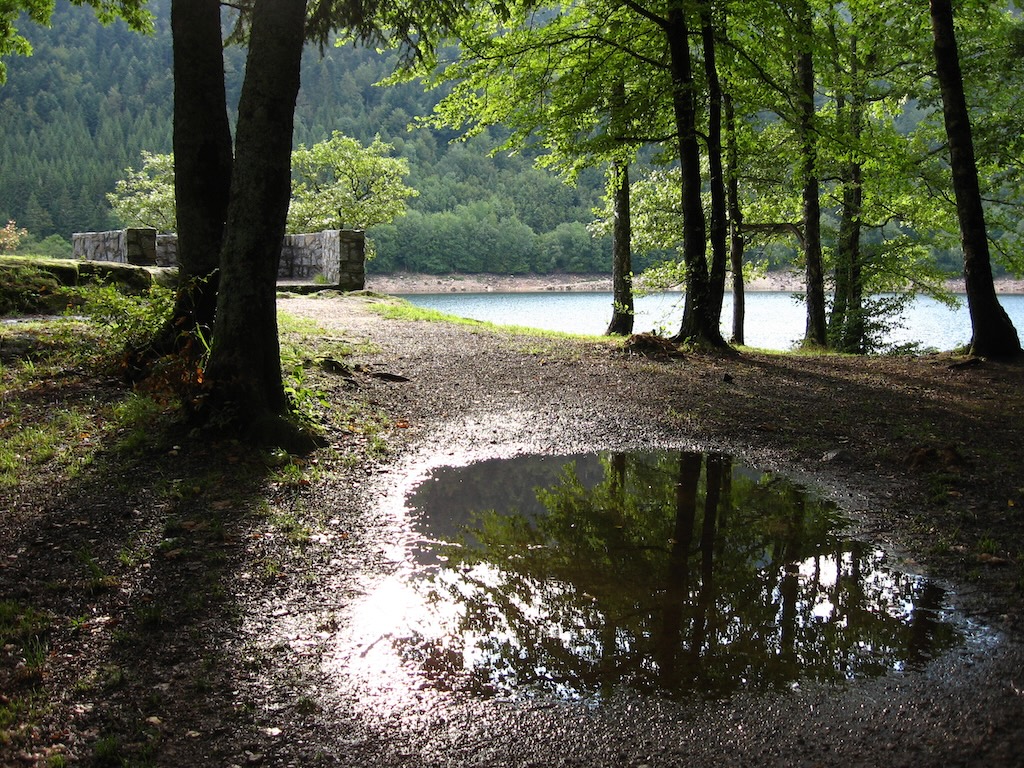
Unrelated photo: the “lac de Kruth-Wildenstein” reservoir during a family holiday in France in 2006.
PyGrunn: layered architecture - Mike Huls
2026-05-08
(One of my summaries of the 2026 one-day PyGrunn conference in Groningen, NL).
Full title: layered architecture for readable, robust, and extensible apps.
Note: there’s a related article on his own website :-)
Layered architecture resonates with people that make okay applications: their application do what they need to do. But once people start asking for changes, they get nervous. There might be huge functions. Or there might be no tests, “as it takes too much time to spin up the database”. Brittle applications. Small changes are disproportionally expensive.
The goal of this talk: create apps that are readable, robust and extensible. By using the principle of separating everything in layers with a specific responsibility. It is not a one-size-fits-all solution: you have to adapt it to your situation.
The layers that he proposes:
Interface: how the ouside world calls your application. An API or UI.
Infrastructure and Repository: your contact with the outside world (like a database).
Infrastructure is tools. A http client. A mail sender.
Repository: persistence. SQL queries, caches. The aim is to decouple the rest of the system from db/cache/etc.
Application: heart of your system, orchestrating the business logic. The Interface talks to the Application layer, the Application layer talks the infra/repo. And uses the Domain layer.
Domain: constraints and definitions. He often uses Pydantic models here. It reflects the business meaning. It should be strict. Fail early. The “language” used should be a shared language between the engineers and the business people.
There are some rules, like the Interface only talks to the Application, not directly to
the Infrastructure. And your code should be structured the same way. So a repo/ dir,
an infra/ dir etc.
What are the benefits?
It is more readable, you know where stuff is. This also helps with onboarding.
It is more understandable, also to business people.
Your app will be much more maintainable.
Structure is clearer.
Because you have more separation between concerns, validation is easier, so you tend to do more of it.
Evolvable. You can build upon your existing code instead of modifying it.
How to get started?
Start with separate directories. If you wonder where a function should go, it probably has too many responsibilities :-)
Add tests.
Start small.
Focus on validation. Fail early.
Isolate the business logic.
Concentrate on the borders and separations.
Something to watch out for is making your models too big. You might have to split it into separate systems with their own responibility. A payment system, separate from the inventory system, for instance. You might want to create a small, focused shared domain system.
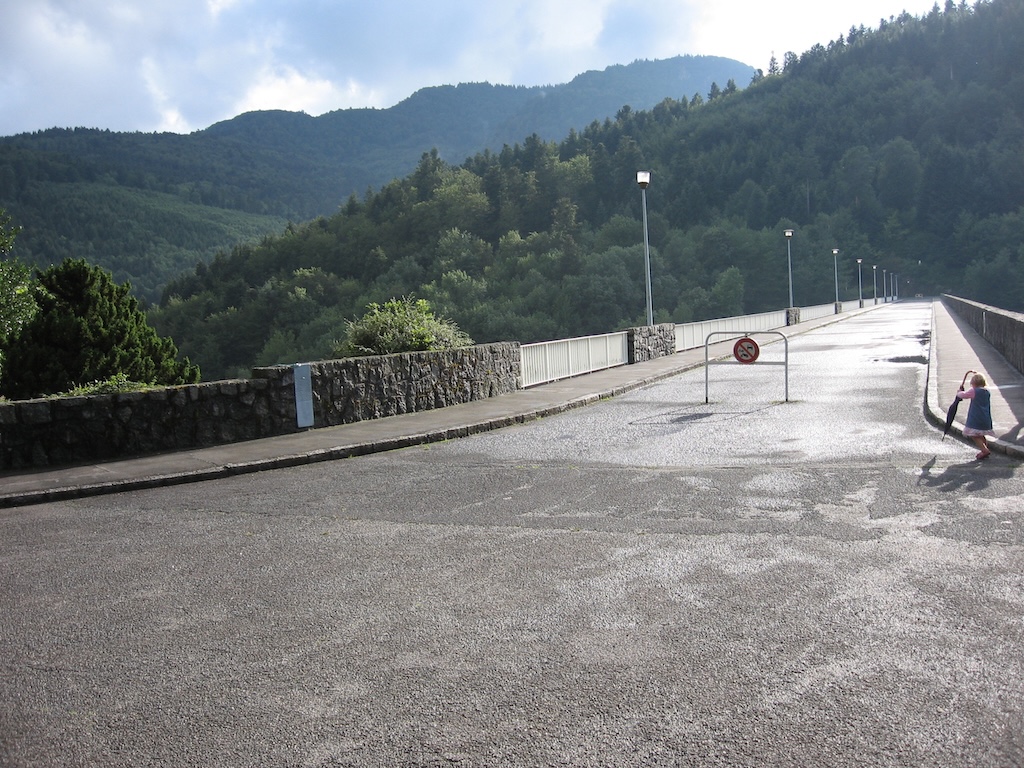
Unrelated photo: the “lac de Kruth-Wildenstein” reservoir during a family holiday in France in 2006.
Overview by year
Statistics: charts of posts per year and per month.
- Weblog entries for 2003
- Weblog entries for 2004
- Weblog entries for 2005
- Weblog entries for 2006
- Weblog entries for 2007
- Weblog entries for 2008
- Weblog entries for 2009
- Weblog entries for 2010
- Weblog entries for 2011
- Weblog entries for 2012
- Weblog entries for 2013
- Weblog entries for 2014
- Weblog entries for 2015
- Weblog entries for 2016
- Weblog entries for 2017
- Weblog entries for 2018
- Weblog entries for 2019
- Weblog entries for 2020
- Weblog entries for 2021
- Weblog entries for 2022
- Weblog entries for 2023
- Weblog entries for 2024
- Weblog entries for 2025
- Weblog entries for 2026
- Tag overview